

UI designed for the Creator
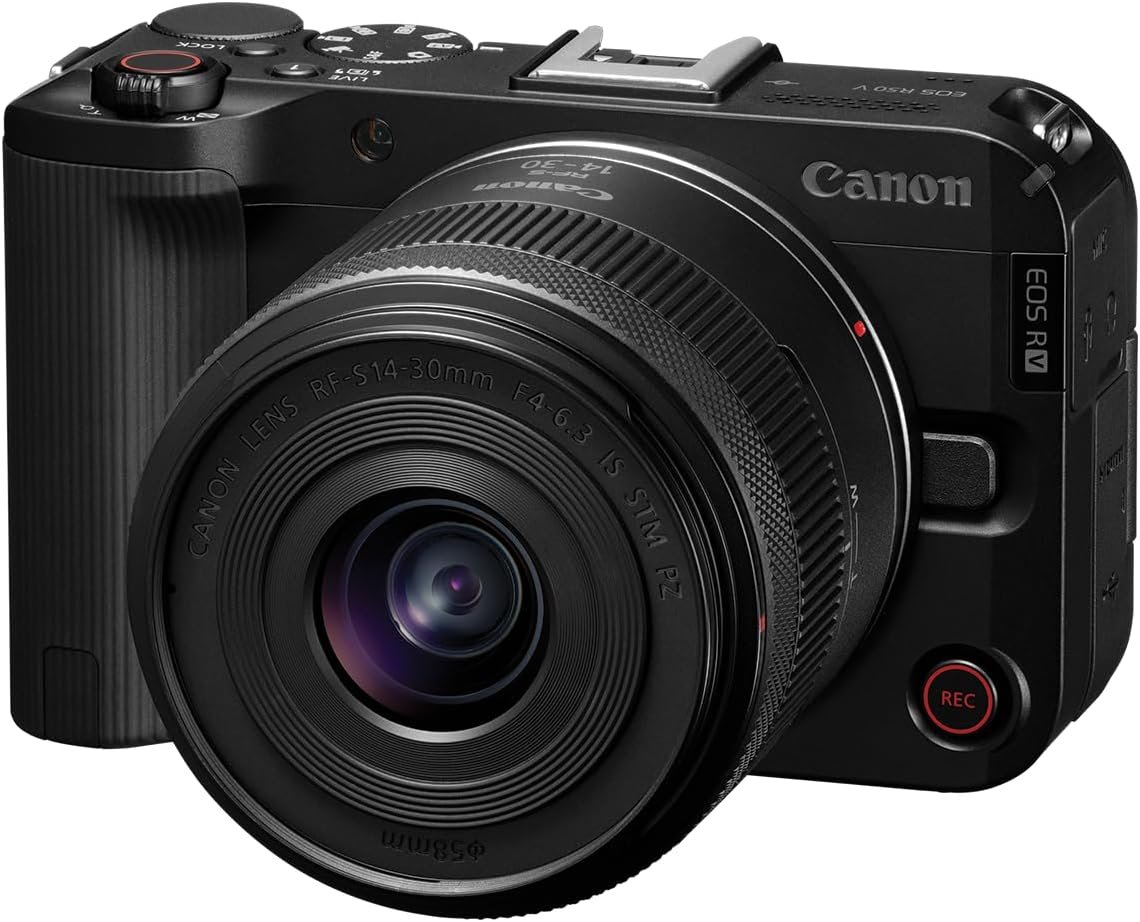
The EOS R50 V was designed through creator feedback to solve many of the pain points of creators. Its exterior was completely redesigned to be bold, modern, and untraditional in appearance. Enjoy smooth powered zooming with an on camera zoom lever (for Power Zoom compatible lenses), a 3-microphone array for clear audio and unwanted noise reduction, and the latest Canon Multi-function shoe to attach and power additional compatible accessories.


Vertically Versatile
As a product made for today’s video content creator, it comes equipped with a vertical & horizontal tripod mount. These are available on the side of the camera’s grip and on the bottom of the camera body. When in Movie mode, the on-screen menus automatically rotate based on the camera’s orientation.

Always ready, and never surprised
Since many creators spend a lot of time in front of the camera, two Record buttons are available – one on the front of the camera so you can start your recording with confidence when vlogging, and another in the traditional Shutter button position when you’re behind the camera.

Pro Look Settings Simplified
A new mode dial experience now features 7-different video focused modes at your fingertips. Newcomers to video can utilize the fully Automatic video exposure mode functionality, including the Scene mode featuring a dedicated video mode for “close-up demos” perfect for Video, or Small Business Creators doing E-commerce product demonstrations. This mode is ideal for creators who want to present a object close to the lens, and quickly have the focus return back to them.
Go LIVE to connect to your audience
This camera also offers tremendous networking capability – offering 5 and 2.4Ghz Wi-Fi, Bluetooth, and built-in Wireless Livestreaming capability via both the Canon Camera Connect app, and the Live Switcher Mobile app. Additionally, its USB C terminal offers USB UVC/UAC streaming for use of the camera as a webcam, and separately an HDMI streaming mode offers a clean HDMI connection to HDMI capture cards and switchers, providing multiple options to connect with your audience.